Form field restrictions
Form field restrictions let you control which fields are available in forms, and whether a form submission can overwrite existing data in those fields.
By default, form submissions do not overwrite existing data. The person building the form can choose to enable overwrite for individual fields. Use field restrictions to remove that option from sensitive fields, or to prevent a field from appearing in the form builder at all.
Caution
Forms on a website can be filled out by anyone. Allowing overwrites carries risks including unintentional data loss, unauthorized modifications to sensitive fields, and compromised data integrity through incorrect entries. Handle sensitive fields with care.
Where to manage field restrictions
Field restrictions are configured in Settings and maintenance and require administrator rights.
- Go to Settings and maintenance.
- Select Marketing from the navigator.
- Select the Form field restrictions tab.
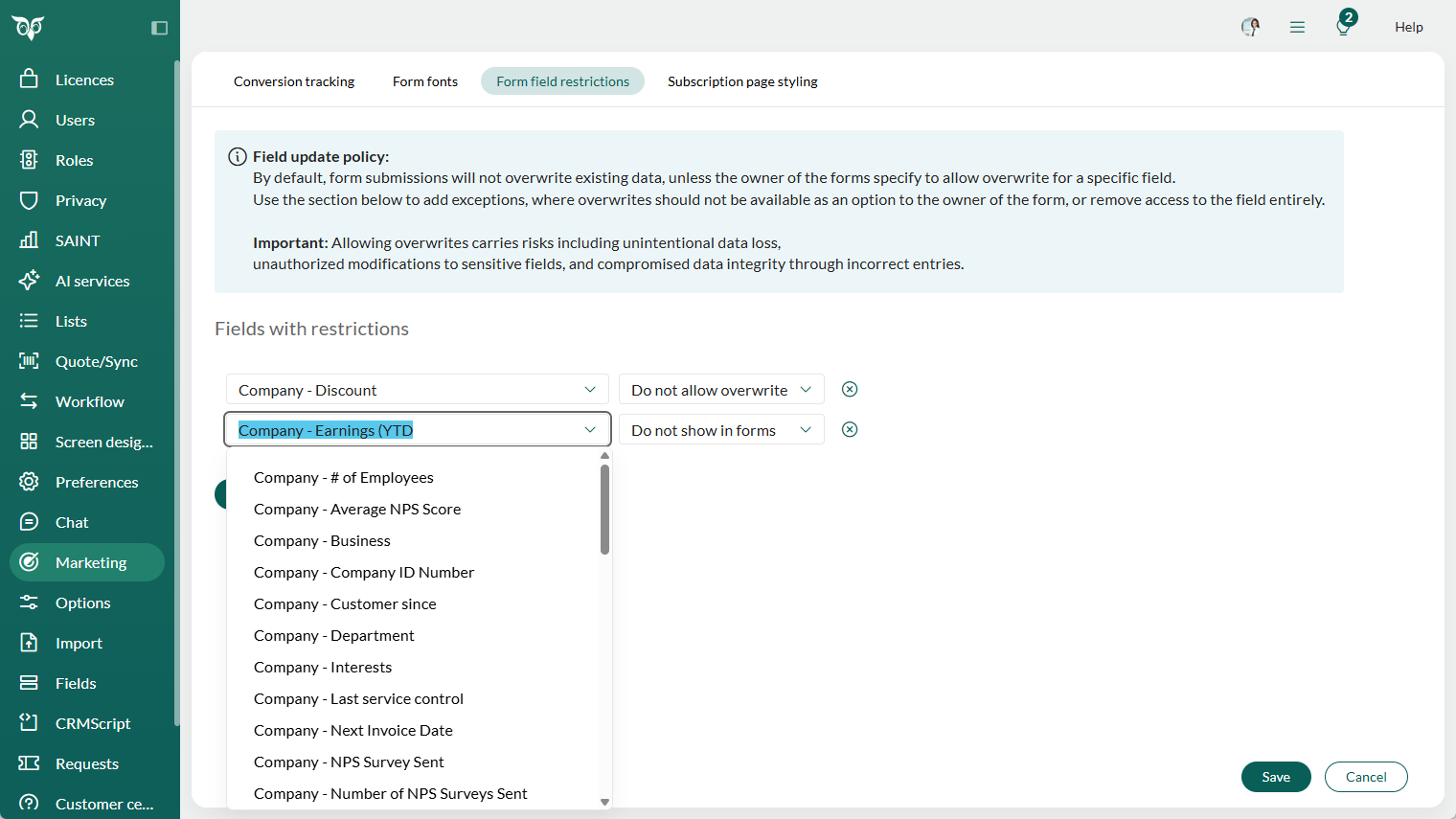
Add a field restriction
- In the Fields with restrictions section, select a field from the dropdown list.
- Select the restriction type for that field.
- Select Save.
Repeat to add restrictions for more fields.
Restriction options
Do not allow overwrite: The overwrite option is removed from this field in all forms, including forms that are already published. The field remains available in the form builder and can still be added to forms, but submitted data will never overwrite existing values.
Do not show in forms: The field is removed from the form builder entirely and cannot be added to new forms. Existing published forms that already include the field are not affected.
Remove a field restriction
- Locate the field in the Fields with restrictions list.
- Select the remove icon () next to the field.
- Select Save.
Removing a restriction restores default behavior. The field becomes available in the form builder again, and the form owner can choose whether to allow overwrite.