Settings and maintenance 11.13 update
Marketing - Form field restrictions
Form field restrictions let you control which contact and company fields can be used in forms - and whether existing data in those fields can be overwritten by a form submission.
Without this control, anyone building a form could allow overwrite on fields that should never be changed by an external submission.
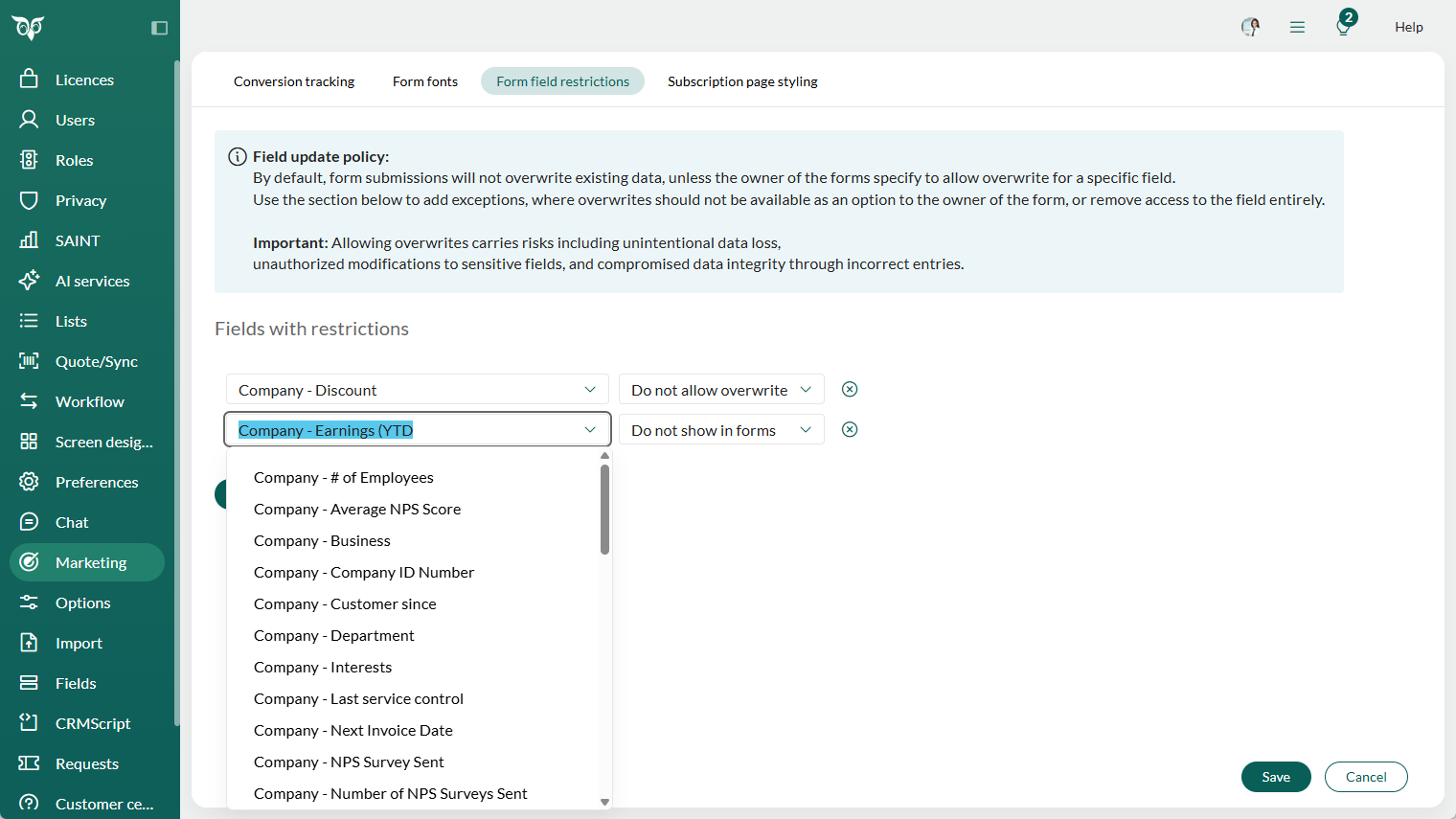
Go to the Marketing section in Settings and maintenance and open the Form field restrictions tab.
For each field, you can set one of two restrictions:
- Do not allow overwrite: the overwrite option is removed from the field in all forms, including existing published ones.
- Do not show in forms: the field is removed from the form builder entirely and cannot be added to new forms.
Note
Forms on a website can be filled out by anyone. Allowing changes to existing data means you risk unauthorized edits, which can lead to incorrect information and data loss. Handle sensitive fields with care.
Learn more about using fields in forms. Read more about configuring form field restrictions.