Mobile CRM 11.1.13 update
Audience:
•
Version: 11.1.13
Some tooltip text!
• 1 minute to read
• 1 minute to read
Request - View request relations
Keeping track of how requests connect to each other is easier when you can see those relationships directly in Mobile CRM. Complex service scenarios often involve requests that depend on each other - whether one request is the parent of another, or several requests are linked side by side - and losing that thread means slower resolution and more context-switching.
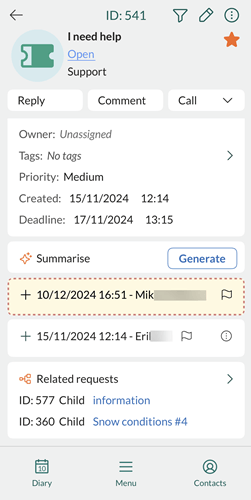
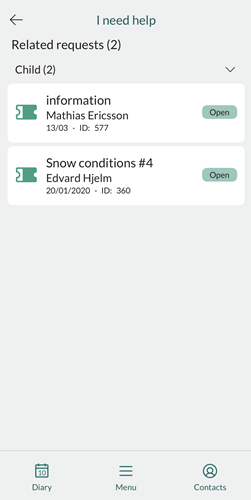
In the Related requests section of a request, each connected request is listed with its relation type, ID, and title. Tap any entry to open that request and see its full details.
You need to use SuperOffice CRM to add, edit, or delete request relations.
Learn more about request relations in SuperOffice CRM.