Relation rules
Relation rules define automatic behaviors that apply when requests are created or closed, based on parent-child relationships between specific request types. They let you enforce consistency in your support process — for example, blocking a parent request from being closed until all its children are resolved, or prompting agents to close related requests together.
Note
Rules trigger automatic actions in the request user interface only. API and CRMScript operations are not affected.
What is a relation rule?
A relation rule consists of:
- Condition: which request types the rule applies to (source and target).
- Behaviors: what happens automatically when matched requests are created or closed.
Where to find relation rules
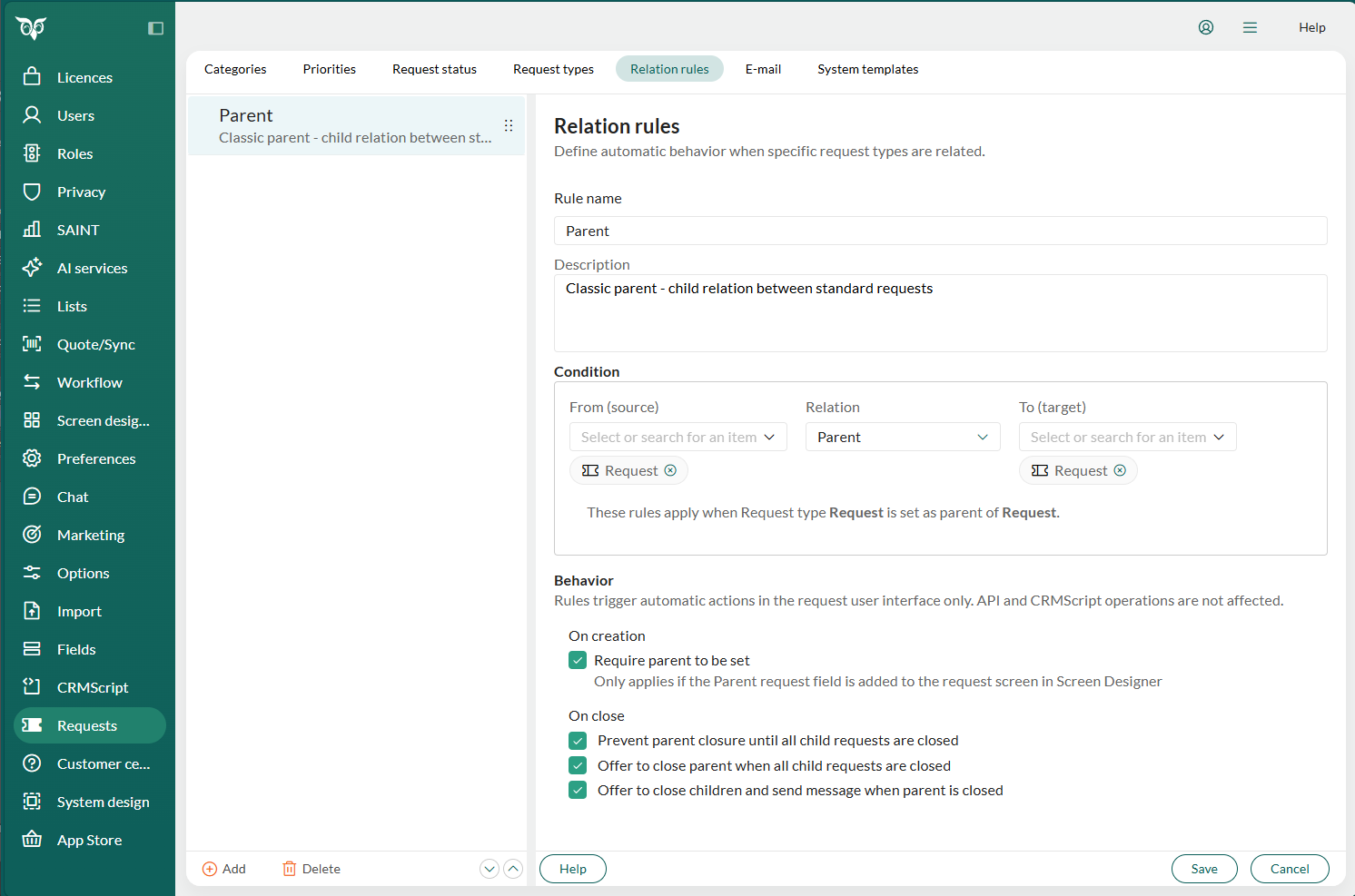
In Settings and maintenance, select Requests in the navigator and go to the Relation rules tab.
Note
If this option is not visible, you have insufficient rights for this function. Contact your system administrator for more information.
Settings
Condition
| Field | Description |
|---|---|
| From (source) | One or more source request types. |
| Relation | The relation type (Parent or Child). |
| To (target) | One or more target request types. |
The summary line below the condition confirms the full scope of the rule in plain language. A warning is shown if the condition overlaps with an existing rule.
Behavior: On creation
| Option | Description |
|---|---|
| Require parent to be set | Prevents saving a new request unless a parent is specified. Only applies if the Parent field has been added to the Request screen in the Screen Designer. |
Behavior: On close
| Option | Description |
|---|---|
| Prevent parent closure until all child requests are closed | Blocks the parent from being closed while any child request is still open. |
| Offer to close parent when all child requests are closed | When the last child is closed, the agent is prompted to also close the parent. |
| Offer to close children and send message when parent is closed | When the parent is closed, the agent is prompted to close all open child requests and add a reply message to each, sent to their recipients. |
Add relation rule
In Settings and maintenance, select Requests in the navigator and go to the Relation rules tab.
Click the Add button.
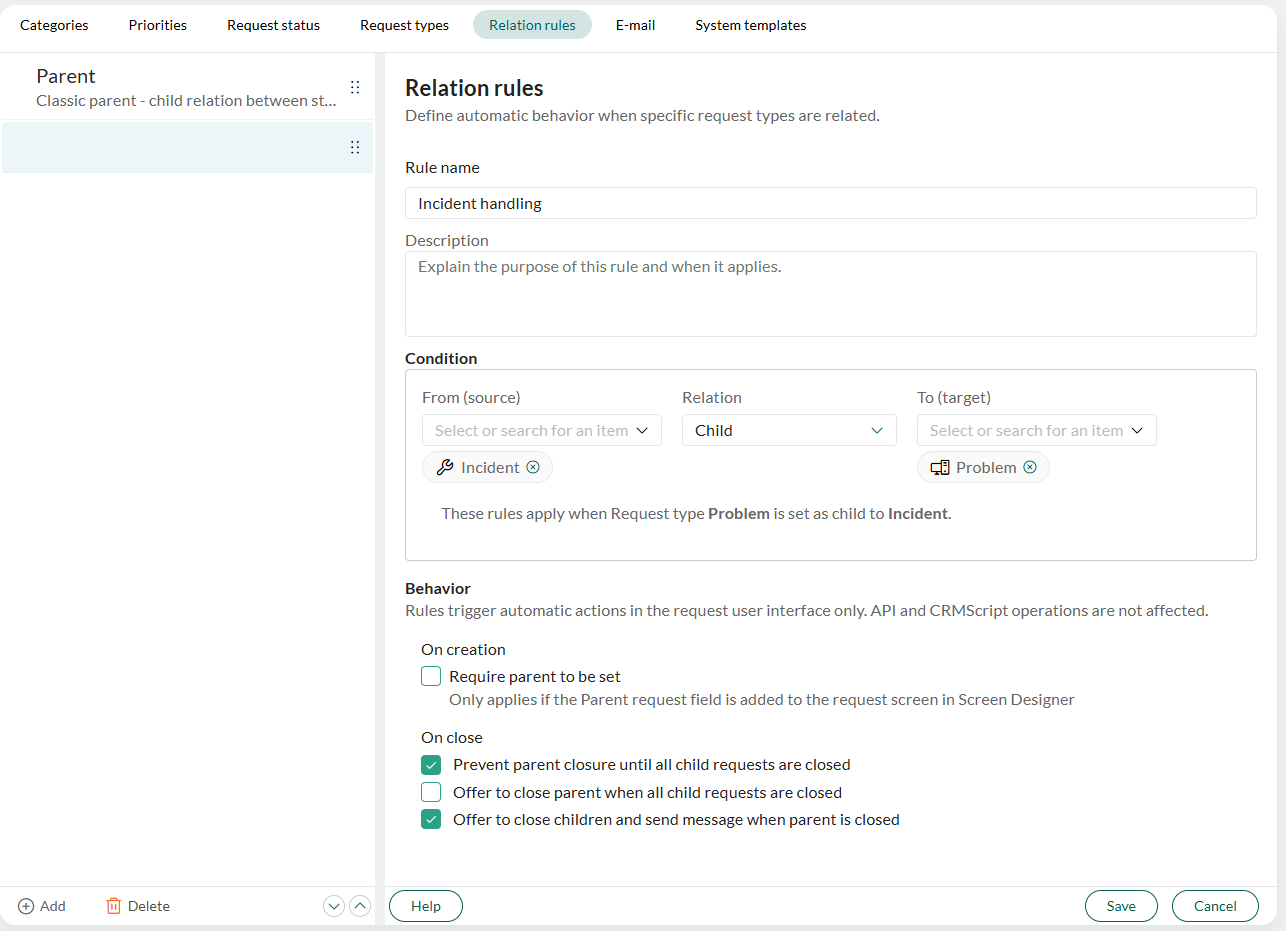
Enter a Rule name and optionally a Description.
In the Condition section, select the Relation type, then select one or more request types in the From (source) and To (target) fields. The summary line below the condition confirms what the rule will apply to.
Note
If the condition overlaps with an existing rule, a conflict warning is displayed. Adjust the request types to resolve it before saving.
In the Behavior section, check the options you want to enable for On creation and On close.
Click Save.
Edit relation rule
In the Relation rules tab, click the rule in the list on the left.
Make your changes.
Click Save.
Delete relation rule
In the Relation rules tab, select the rule in the list on the left.
Click the Delete button at the bottom of the list.
Example: Incident management
A major service outage generates multiple individual problem reports from affected customers. Each customer report is registered as a child request linked to a shared incident as the parent.
Prevent parent closure until all child requests are closed: keeps the incident open until every problem report has been handled, ensuring nothing is overlooked.
Offer to close parent when all child requests are closed: when the last problem report is resolved, the agent is prompted to close the incident.
Offer to close children and send message when parent is closed: when the incident is resolved, the agent can close all remaining child requests at once and reply to each affected customer directly, informing them the issue has been fixed.