Mobile CRM 11.1.7 update
All day events in Diary
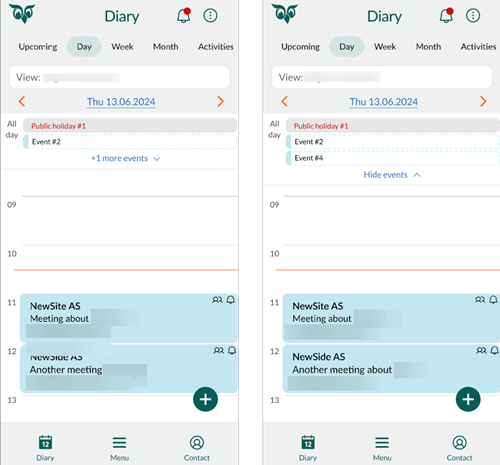
When using the Diary on a small screen, it can be easy to miss important information if you have many follow-ups. To help with this, all all-day events are grouped together at the top of your Diary, where you can choose to show or hide them as needed.
If you have more than two all-day events, a link appears below the section showing +x more events, where x indicates the number of hidden events. Click this link to display all all-day events. Once they are visible, you can select Hide events to collapse the section again and see more of your Diary.
Sections for contacts - Show person type icon
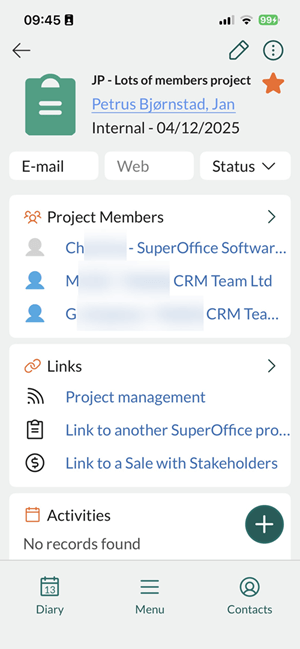
Screens such as Company, Projects, and Sales include a section for linked contacts. Selecting this section opens an overview of all related contacts.
In the contact sections on the Company, Sales, and Projects screens, each contact in the list is displayed with an icon indicating their person type:
- Green for yourself
- Blue for a colleague
- Grey for an external contact
These icons make it easier to quickly identify which contacts are internal team members and which are external collaborators.