Mobile CRM 11.1.11 update
Audience:
•
Version: 11.1.11
Some tooltip text!
• 1 minute to read
• 1 minute to read
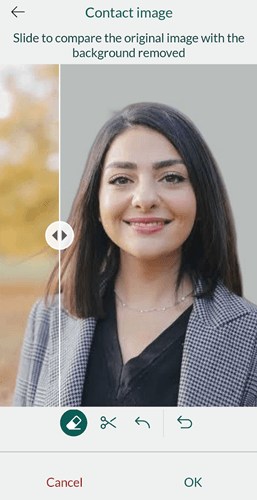
Image background remover
A clean, neutral background makes profile and reference images look consistent and professional across your CRM. When adding or updating an image for a person, company, project, or document, you can take a photo directly in the app and remove distracting or noisy backgrounds in a single tap.
You'll find the option wherever you add or update an image in the app - for contacts, companies, projects, and documents alike.
Simply take or select a photo, then use the remove background action () to clean it up before saving. Crop and rotate options are also available on the same screen.