Service 12.0 update
Spam classification on requests
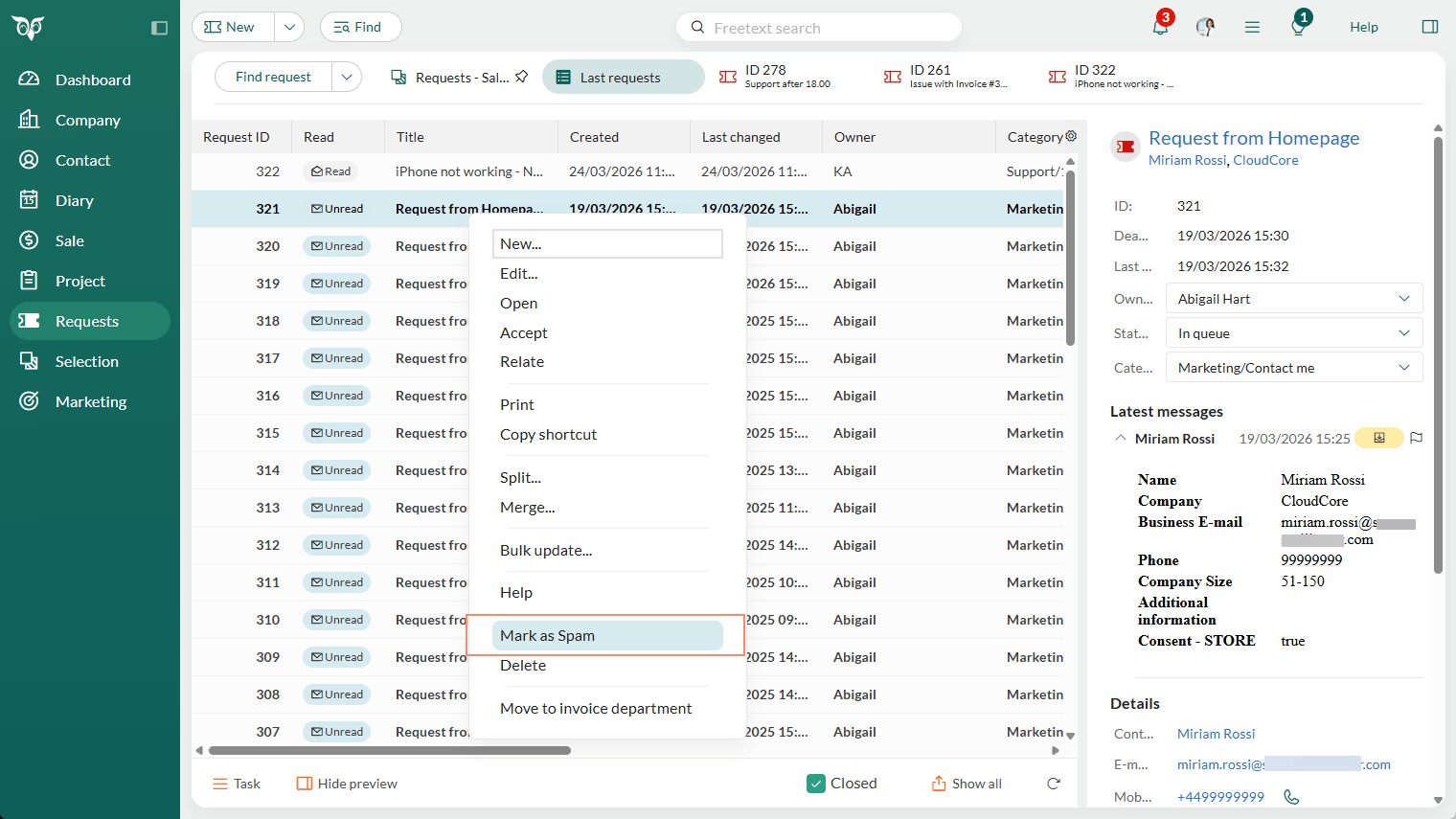
The Mark as Spam action lets users classify fraudulent or unwanted requests. Spam requests are excluded from all views, searches, reports, and selections.
You'll see Mark as Spam in the context menu for requests in your lists, in the Task menu on one request, and in the Task menu on request selections.
Once you select Mark as Spam, a confirmation dialog (Yes/No) appears to confirm that you want to set the request(s) as spam.
Only users with the Can mark requests as SPAM functional right can classify requests. The right is configured by an administrator per role in Settings and maintenance.
Requests marked as spam move to the Recycle bin, where you can restore them if needed. Find the Recycle bin in your Personal settings menu.
The spam requests are permanently deleted from the Recycle bin after a configurable period. The default is 14 days.