Service 11.7 update
Audience:
•
Version: 11.7
Some tooltip text!
• 1 minute to read
• 1 minute to read
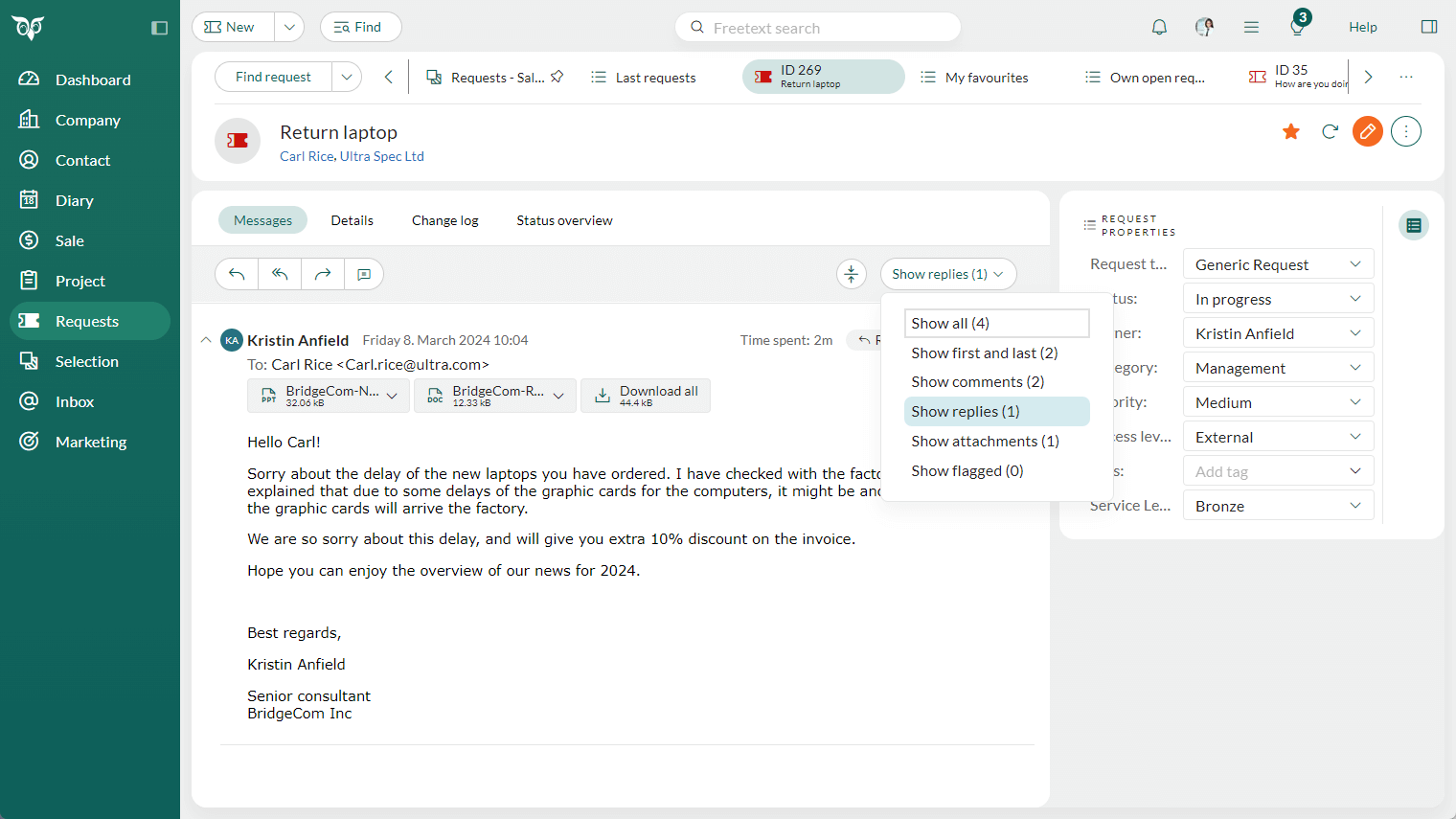
Requests - Filter messages on comments or replies
Working with requests often involves a mix of customer emails, user replies, and internal comments. To keep a clear overview, you can filter the message list to show either replies or internal comments.
This makes it much easier to focus on the communication you need - whether you want to review everything sent to the customer or quickly scan internal discussions.
- Show replies include all messages created using Reply or Reply all.
- Show comments include all messages added by clicking the comment icon.