Marketing 11.11 update
Audience:
•
Version: 11.11
Some tooltip text!
• 1 minute to read
• 1 minute to read
Forms - Custom styling of your form
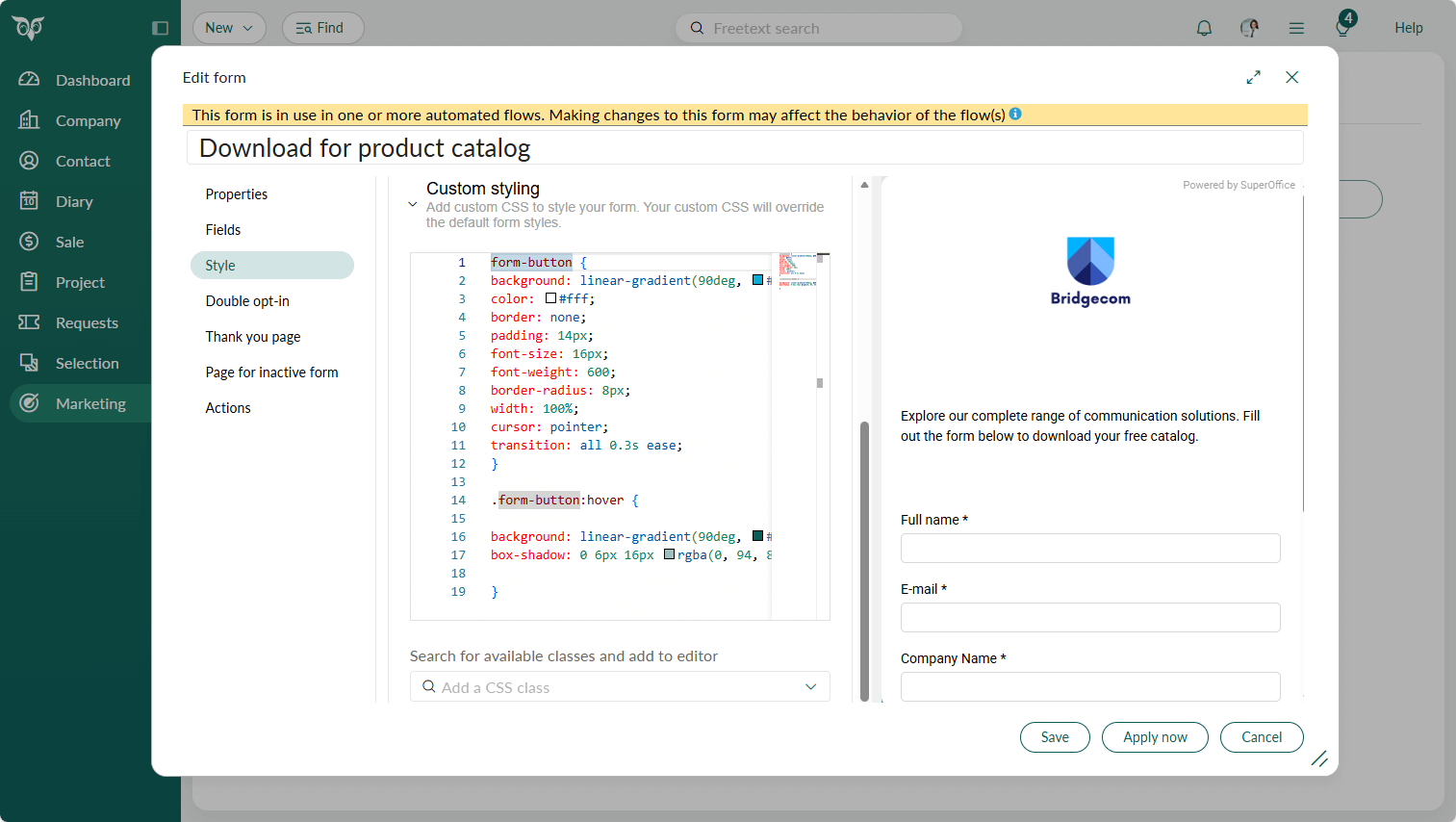
Custom styling with CSS gives you full control over how your forms look and feel, beyond what standard editors can offer. While standard styling works well for quick setup, you can use custom styling when you need your forms to match your brand guidelines, visual identity, and website design more precisely.
By making your forms look familiar and trustworthy, custom styling helps reduce end‑user confusion and supports a more frictionless customer journey, which can ultimately improve form completion and conversion rates.
You need some understanding of CSS and how to write that code, but with some CSS help and AI it's not that difficult.
- For experienced users: Type your code directly.
- For less advanced users: If you want more guidance, select a CSS class and add your code there. This approach makes styling less overwhelming and gives you better control over what you're changing.
Examples of styling elements you can add:
- Fill frame
- Framed checkbox
- Gradient background and button
- Hover effects
Small changes can have a significant impact on user experience.