Core CRM and Sales 11.10 update
Audience:
•
Version: 11.1
Some tooltip text!
• 1 minute to read
• 1 minute to read
Dashboards – Visualize time spent in each sales stage
The dashboards include Days in stage - a measurement option that makes it easier to analyze how long sales remain in each stage of the sales process.
This update provides clearer insight into stage duration, helps identify bottlenecks, and supports more data‑driven pipeline management.
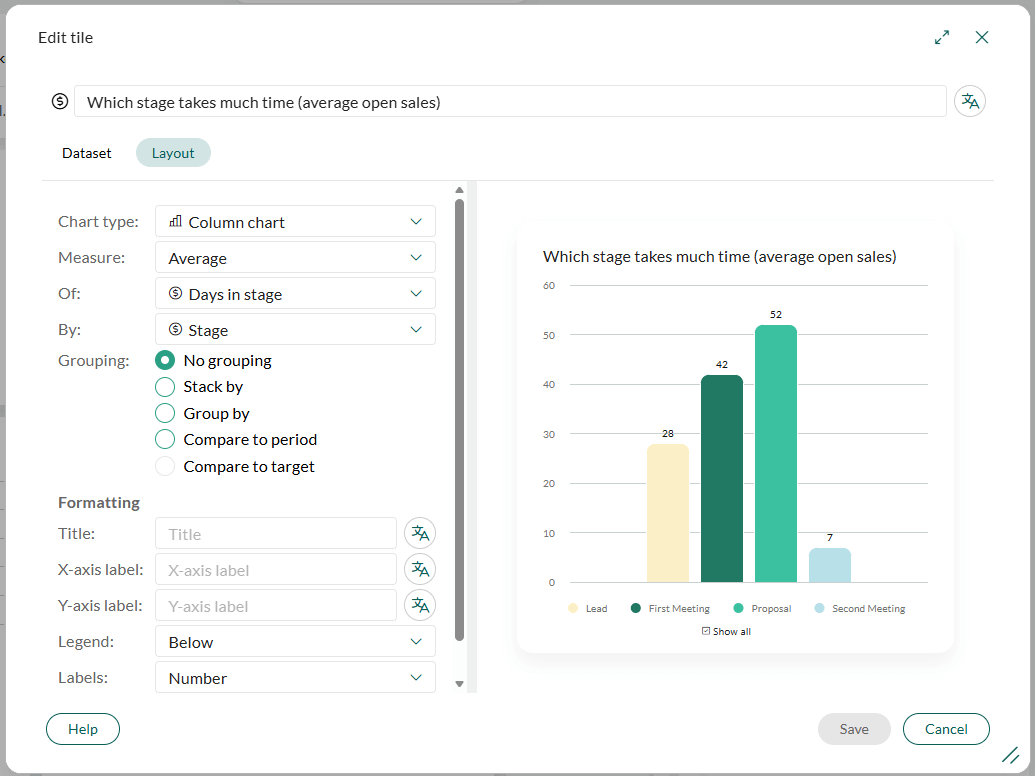
- Measure of: Days in stage is available when selecting average, min, or max in the Measure drop‑down.
- Group by stage: You can group results by sale stage to better understand pipeline flow.
- Stacked by - Field: The visualization can be stacked by days in stage, owner, owner group, sale type, and more.
Notifications for re‑assigned follow‑ups
The system sends notifications for all re‑assigned follow‑ups, regardless of follow‑up type, ensuring better visibility and follow‑through when task ownership changes.
- Notifications are sent for all re‑assigned follow‑ups, regardless of follow‑up type.
- The system generates notifications for re‑assignments with dates up to 30 days back in time, ensuring no updates are missed.
This approach makes follow‑up management more reliable, reduces the risk of overlooked tasks, and ensures users stay informed whenever ownership changes.