Settings and maintenance 11.8 update
Workflow - Lead category automation
Automating company and contact categories helps reduce manual work and ensures your data stays accurate. When the status of a sale changes, the related company or contact can automatically be updated with the correct category - so you never forget to adjust it yourself. This can run fully automatically or ask the user to confirm the change.
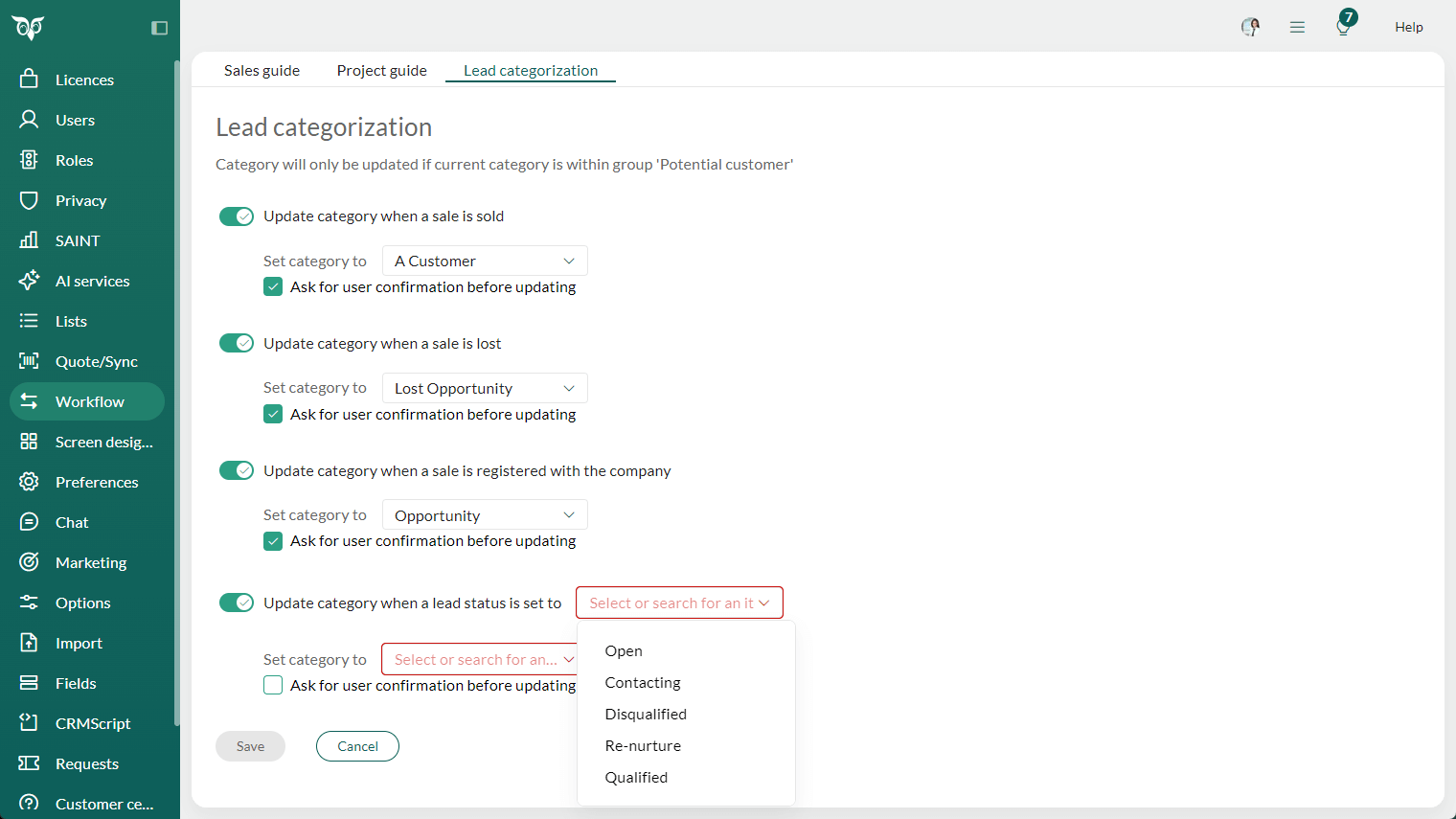
You can configure four types of category automation under Settings and maintenance > Workflow > Lead categorisation:
- Update category when a sale is sold
- Update category when a sale is lost
- Update category when a sale is registered with the company
- Update category when a lead status is set to: xx
You decide which rules should run automatically and which should prompt the user. For example, it may not be ideal to automatically update categories when a sale is sold if you work with multiple customer tiers (VIP, A, B, C) within the same company. If the rule is configured with Ask for user confirmation = true, the user will be prompted and can choose whether to apply the suggested category update or select another category.
For lead management, however, it's often useful to automate the move from lead to customer or lost opportunity, ensuring consistent categorisation with far less effort.
Read more about Automate lead categorisation.