What is my client ID?
Applications have 2 unique identifiers: client ID (ApplicationIdentifier) and client secret (ApplicationToken) . The latter is considered a password and must be stored as such.
In the Developer Portal, go to your app page.
To see the list of all apps:
- Select Apps from the top menu to see all apps across every partner you have access to, or
- Go to the Applications section of your partner page to see that partner's apps.
Select Configuration > Authentication
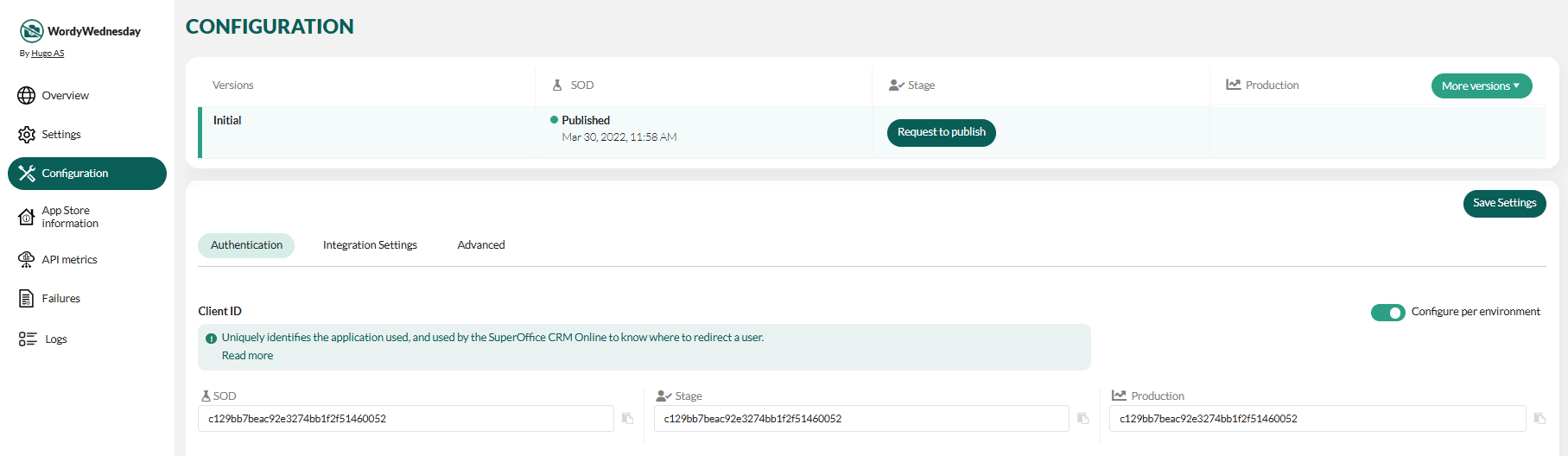
Each application has a separate client ID for each environment (SOD, Stage, and Production).
Regenerate the client ID
The client ID is assigned automatically and cannot be edited manually. Next to the client ID for each environment you have two controls:
- Copy — copy the client ID to the clipboard.
- Regenerate — generate a new client ID for that environment.
Warning
Regenerating changes the identifier your integration uses to authenticate. Update your application with the new client ID afterwards, or sign-in and API calls that rely on the old value will fail.
Client ID must be unique per environment
The portal validates that a client ID is not already used by another application in the same environment. If a duplicate is detected, the field shows an error and you must regenerate the client ID until it is unique before you can save:
This Client ID is already in use by another application.
