ErpConnectionAccess Table (420)
•
Environment: onsite, online
Some tooltip text!
• 1 minute to read
• 1 minute to read
Access control for Erp Connections
Fields
| Name | Description | Type | Null |
|---|---|---|---|
| erpconnectionaccess_id | Primary key | PK | |
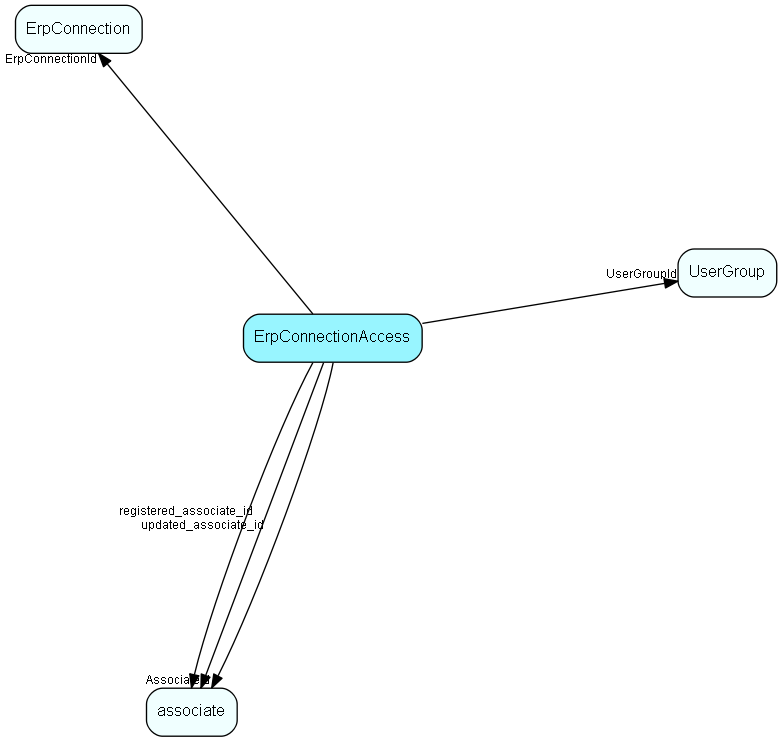
| ErpConnectionId | Link to Erp connection we're granting access for | FK ErpConnection | |
| AssociateId | If set, then this row grants access for a particular associate | FK associate | ● |
| UserGroupId | If set, then this row grants access for a particular group of users | FK UserGroup | ● |
| CanConnect | If set, then this user/group is allowed to create and break connections between EXISTING actors in ERP and CRM | Bool | ● |
| CanCreateERP | If set, then this user/group is allowed to create NEW actors in ERP and connect them to CRM | Bool | ● |
| registered | Registered when | UtcDateTime | |
| registered_associate_id | Registered by whom | FK associate | |
| updated | Last updated when | UtcDateTime | |
| updated_associate_id | Last updated by whom | FK associate | |
| updatedCount | Number of updates made to this record | UShort |
Indexes
| Fields | Types | Description |
|---|
Relationships
| Table | Description |
|---|---|
| associate | Employees, resources and other users - except for External persons |
| ErpConnection | One connection to an ERP connector, specifying Client and other required information |
| UserGroup | Secondary user groups |
Replication Flags
- None
Security Flags
- No access control via user's Role.