AutomatedCategoryUpdate Table (549)
•
Environment: onsite, online
Some tooltip text!
• 1 minute to read
• 1 minute to read
Info on how to autoupdate category when changing sale or leadstatus on person
Fields
| Name | Description | Type | Null |
|---|---|---|---|
| automatedcategoryupdate_id | Primary key | PK | |
| trigger_type | The type of change to trigger the auto update | Enum CategoryUpdateTrigger | ● |
| user_confirmation | Whether to ask the user for confirmation before applying the autoupdate | Bool | ● |
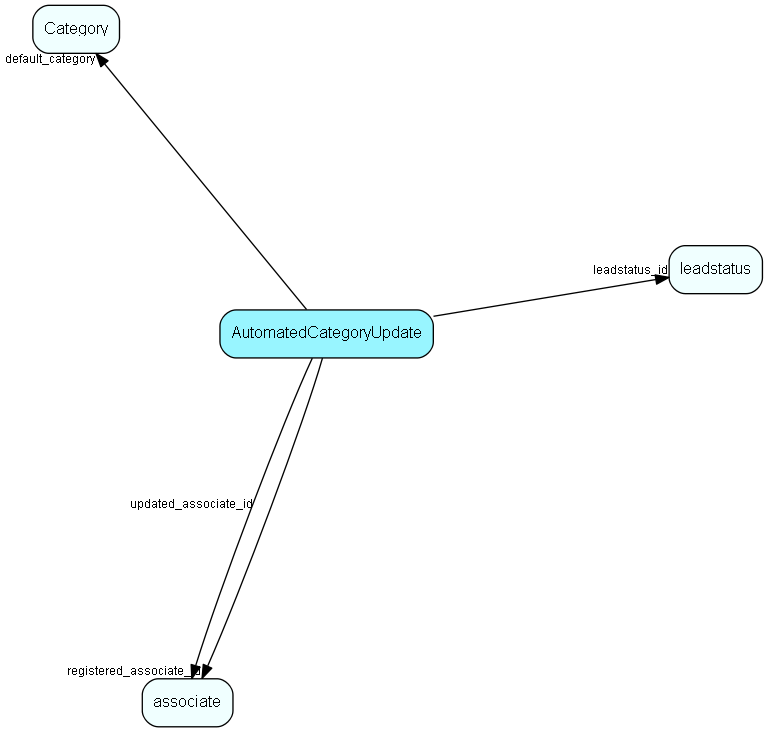
| default_category | The default category id to update to, and the actual new value if no user confirmation is needed | FK Category | ● |
| registered | Registered when | UtcDateTime | |
| registered_associate_id | Registered by whom | FK associate | |
| updated | Last updated when | UtcDateTime | |
| updated_associate_id | Last updated by whom | FK associate | |
| updatedCount | Number of updates made to this record | UShort | |
| leadstatus_id | The leadstatus id to match on person, to trigger autoupdate of category | FK leadstatus | ● |
Indexes
| Fields | Types | Description |
|---|---|---|
| trigger_type | Enum | Unique |
Relationships
| Table | Description |
|---|---|
| associate | Employees, resources and other users - except for External persons |
| Category | Category list table |
| leadstatus | List items of lead status that is selectable for contacts and persons that have specific category |
Replication Flags
- None
Security Flags
- No access control via user's Role.