SuperOffice and licenses
To log in to SuperOffice CRM from a browser, you need login rights to SuperOffice CRM and a user license.
View license information
- In Settings and maintenance, go to the Licences screen.
- Select the SuperOffice tab.
- The list shows the licenses your organization has purchased and activated. Click a license name to view more information about it.
The Licences screen
The SuperOffice tab
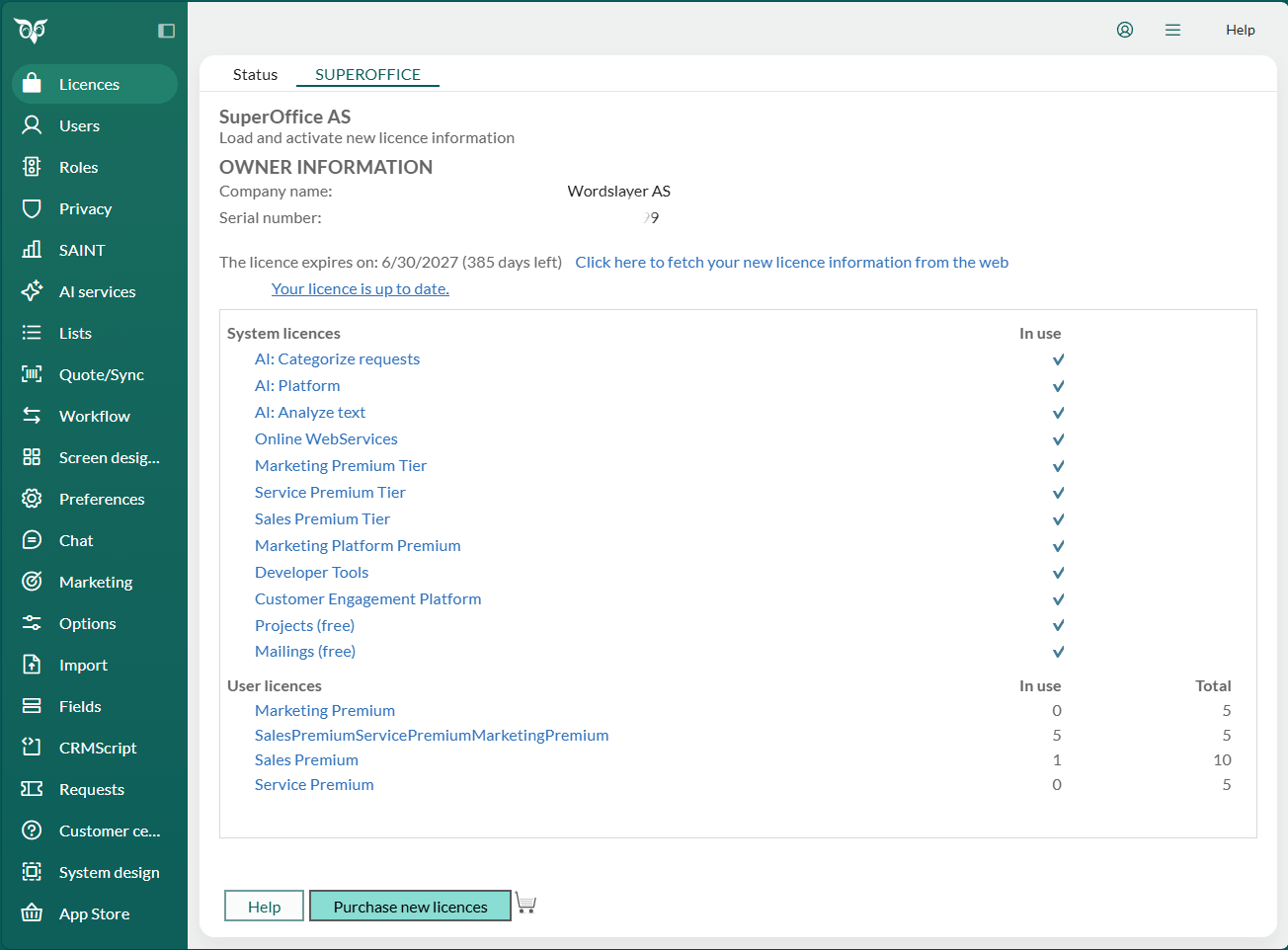
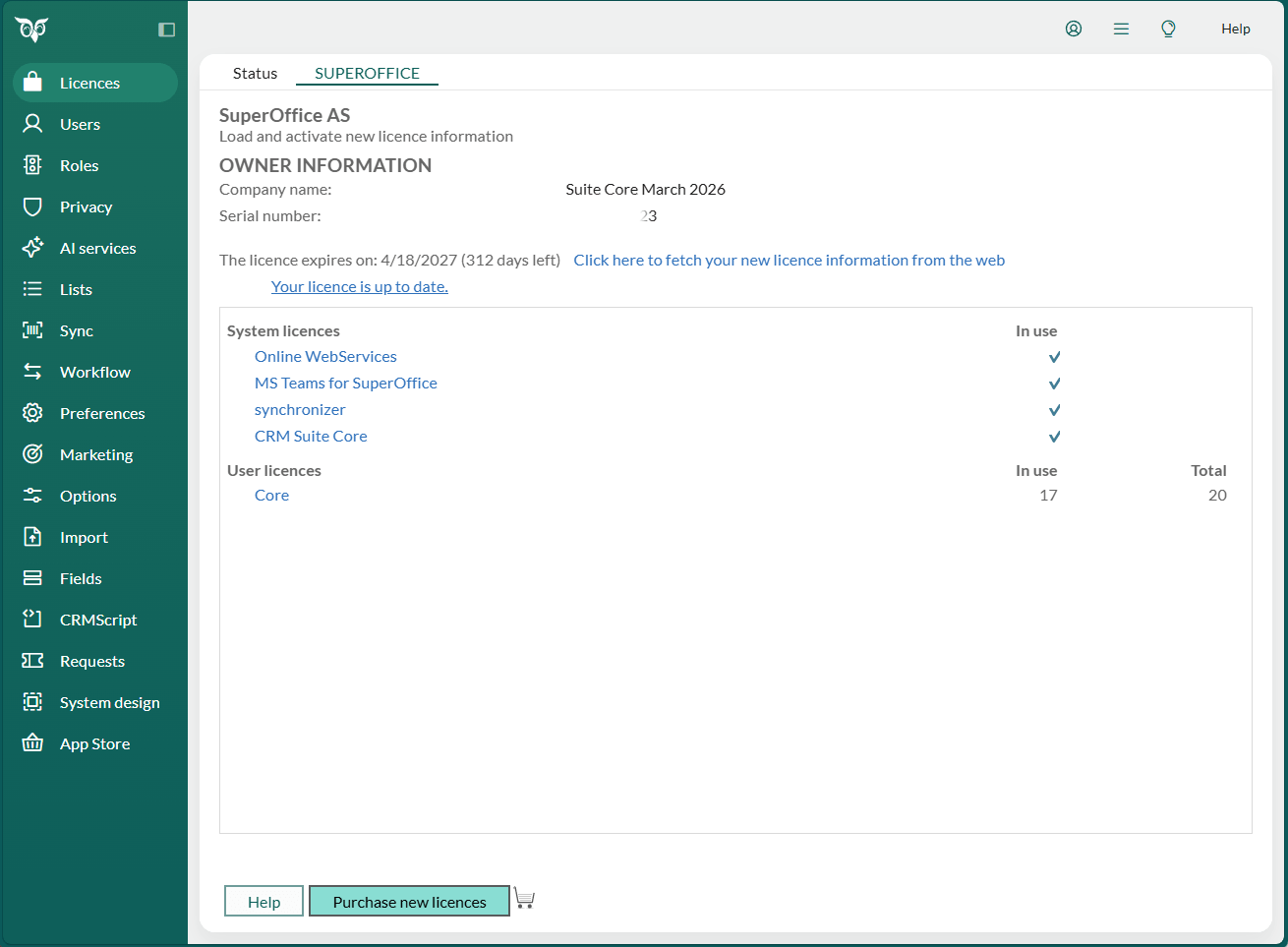
The SuperOffice tab shows licence information for your SuperOffice subscription.
Note
If a third-party add-on is installed, several tabs are displayed here.
Owner information
At the top is the company name (your company/organization) and serial number. If the license is time-limited, the expiry date is displayed below the serial number.
License list
The list at the bottom shows which licenses are in use and how many are available.
The Status tab
Updated information about the system is displayed in the Status tab in the Licences screen.
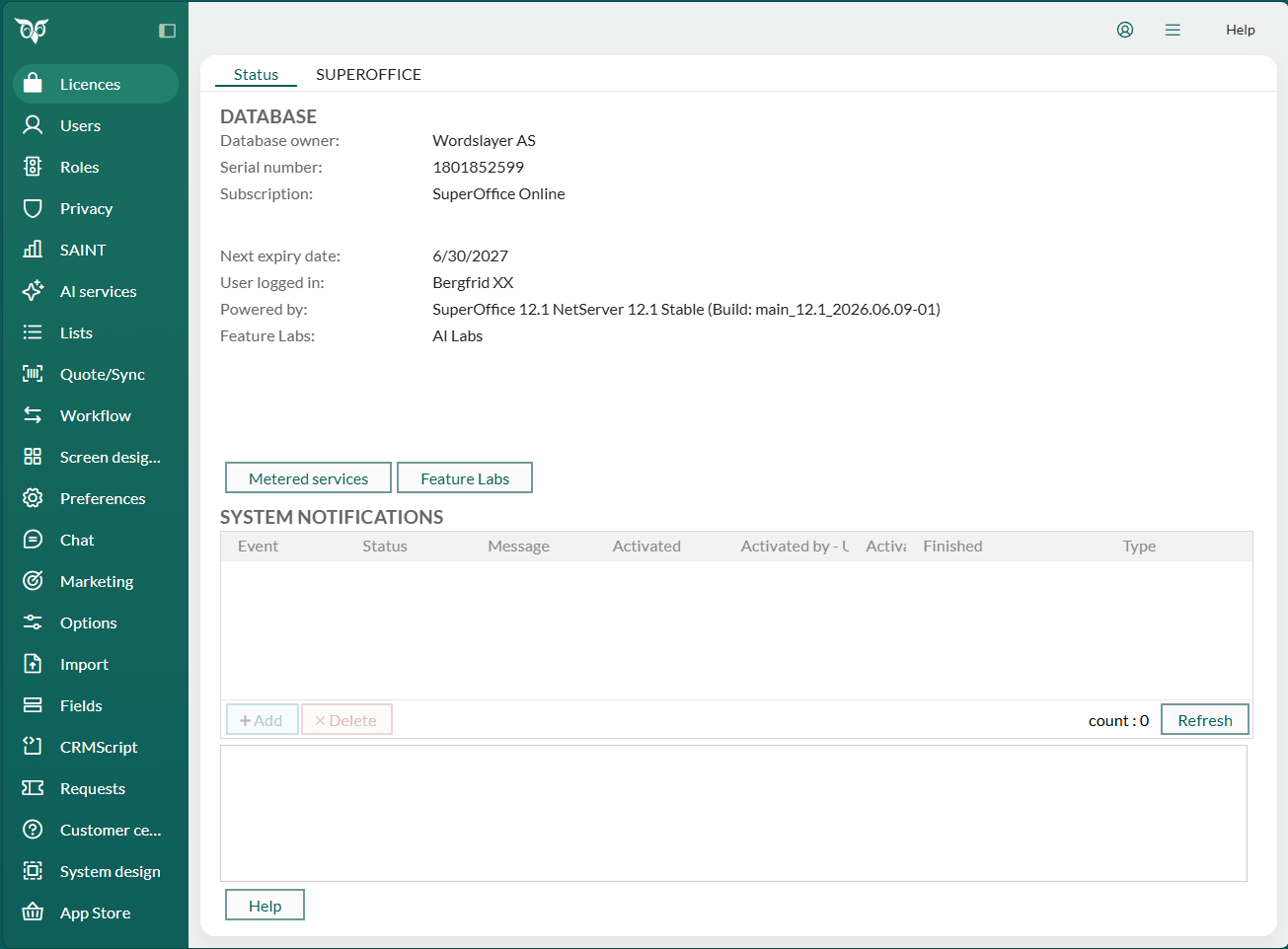
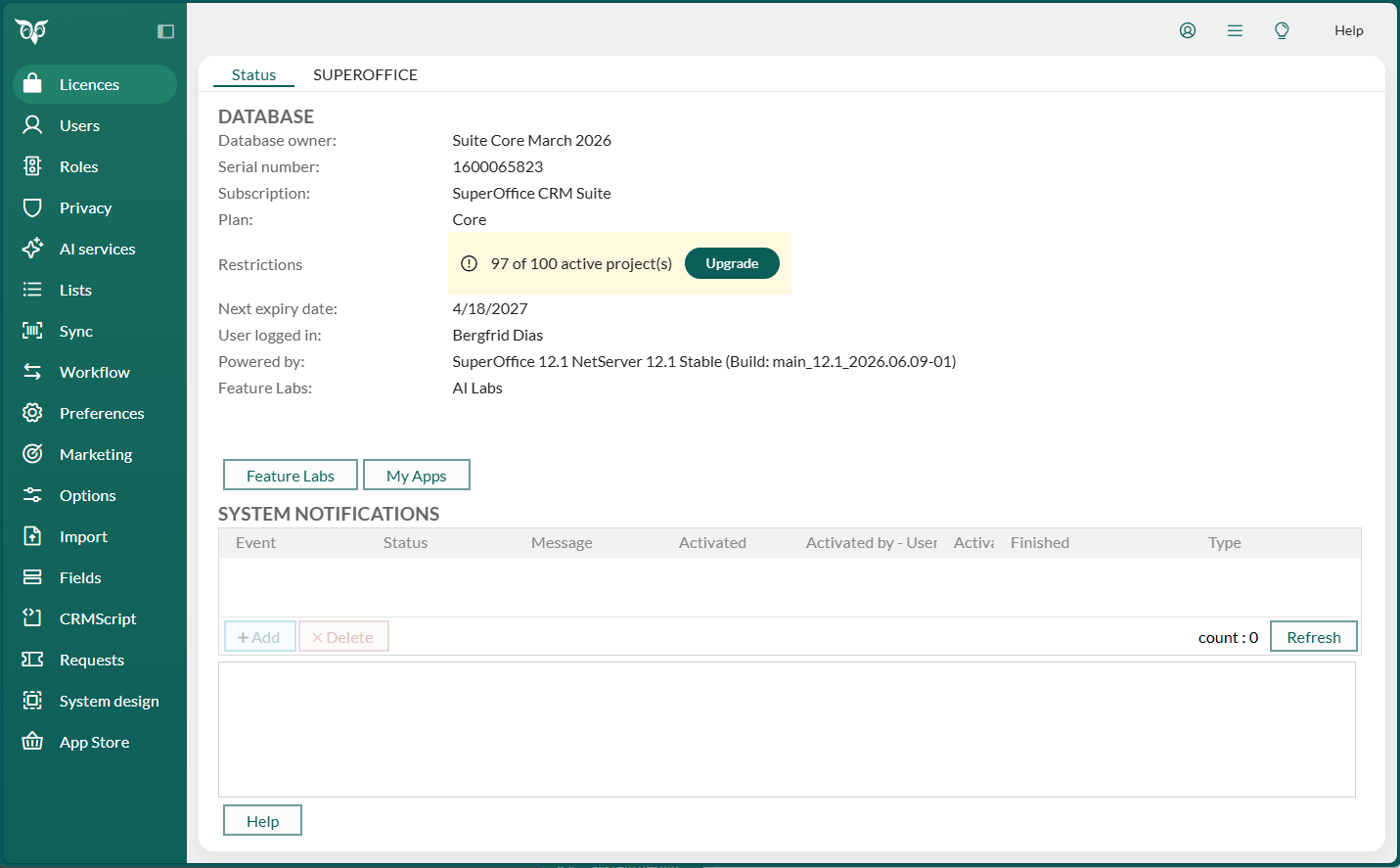
The Status screen is divided into the following sections:
Database
Shows the database owner, serial number, subscription, and type, which are specified on installation. You can see the next expiry date and the name of the user currently logged in.
If your organization is on a SuperOffice CRM Suite subscription, the Database section also shows:
- Plan: the plan included in your subscription, for example, Core
- Restrictions: your current usage against one or more plan limits, for example, 1 of 100 active projects
Plan limits prevent your organization from exceeding the capacity included in your current plan. The Restrictions indicator reflects how close you are to a limit:
| Usage | Indicator | Meaning |
|---|---|---|
| Below 85% | Count shown in black, for example, 1 of 100 active projects | Normal – no action needed |
| 85% or more | Count shown in yellow | Approaching the limit |
| 100% | Count shown in red | Limit reached – the feature is restricted |
Select the indicator to open the SuperOffice CRM Suite page for more information.
If you are a system administrator, an Upgrade button appears next to the warning or stop indicator. Select it to open a contact form to request more capacity or a plan upgrade.
Metered services
Note
Available on module-based subscriptions only. On CRM Suite subscriptions, select My Apps to open the SuperOffice App Store.
Click this button to open the dashboard for your metered services.
Metered services are services that are invoiced after you exceed a certain level/number of
- Storage space used
- Emails sent via Mailings
- Customer center logins
- Chat sessions started
- Form submissions
Administrators can keep track of exactly how much each service is used per month. Whenever your company exceeds the threshold, you are automatically invoiced for these services on your next monthly invoice. The threshold depends on the number of users. The more users you have, the higher the threshold will be.
System notifications
This list shows status messages from the system and added events. Notifications of active imports, SAINT or freetext indexing, and so on. Select a notification in the list to display a description. You can keep track of events that are active in the system.
The System events tab consists of two parts:
- Events.
- Description, shows detailed information about the event currently selected under Events.
Under System notifications you will find the following columns:
| Column | Description |
|---|---|
| Event | Shows the name of the event. |
| Status | Shows the status of the event. |
| Message | Shows the description of the event. |
| Activated | Shows when the event was initiated. |
| Activated by | Shows who initiated the event (user ID and portrait). |
| Finished | Shows when the event is expected to finish. |
| Type | Shows if the event applies to the whole system. |
License types
System licenses
| License | Description |
|---|---|
| System | Specifies which systems you have access to. |
| SuperOffice Server | Required to use SuperOffice CRM. |
| Online Web Services | Required to access SuperOffice CRM from a web client. |
| Sales Intelligence | Allows SAINT status monitors. |
| Exchange Synchronizer | Allows use of SuperOffice Synchronizer. |
| SuperOffice Expander Services | Allows functionality for anonymous and external users via SuperOffice Audience or third-party applications, among other things. |
| Customer Centre | Allows use of the Customer Centre. |
| Sales Quote Management | Allows use of quotes. |
User licenses (plans)
Finally, there are user licenses for SuperOffice CRM, which are purchased for a specific number of users. This applies amongst others to the following products:
- CRM Suite
- Sales-Essentials
- Sales-Premium
- Service-Essentials
- Service-Premium
- Marketing-Essentials
- Marketing-Premium